
Creating a Project from Scratch
The CREATE FROM SCRATCH option allows you to begin working with your project immediately.
If the New Project Options window is not open, choose File > New Project from the menu and click on the CREATE FROM SCRATCH button.
- In the New Project dialog:
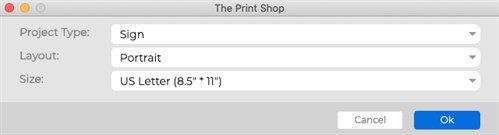
- Choose an option from the Project type drop-down menu. This will populate the Size list with the most common sizes for the chosen type.
- Choose a size from the Sizes drop-down menu.
- The Print Shop for Macintosh will now display the project. See the following topics for information on typical starting points:
Adding Photos
Adding a Page
Using the Ready-Made Template Wizard
Or