
Cool Fills for Headlines
Here are some easy techniques for making outstanding titles using the Headlines feature.
You can choose a Ready-Made Headline which has pre-selected style, color fill, outlining and shadowing effects.
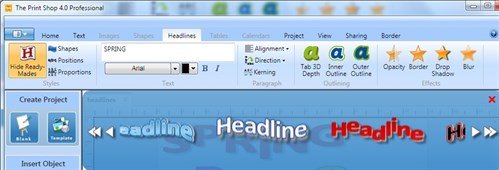

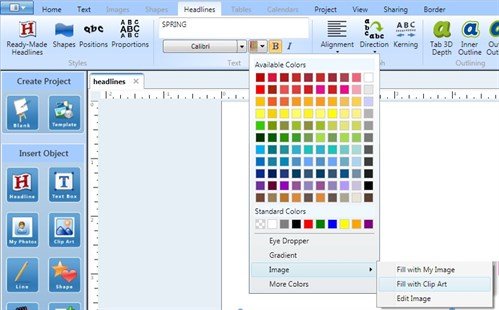
And of course, all those effects can be edited. Let's see what we can do if we choose a different color fill. Click the Color Fill drop down arrow to reveal the color palette and additional options.
Click Image and choose Fill with Clip Art.
The Clip Art gallery opens. I chose a floral ribbon image and it now fills my headline. I edited the outline color to match the new color fill.

Instead of clip art, you can select Fill with My Image. I chose a photo of yellow tulips and now my headline is filled with that photo.

Another color fill option is Gradient. When you select Gradient, this window opens. Create a color by clicking the color wheel or typing in color codes. Then add that color to the slider below by clicking inside the thin white bar. Add more colors and play with the sliders to customize your gradient. Click Apply.
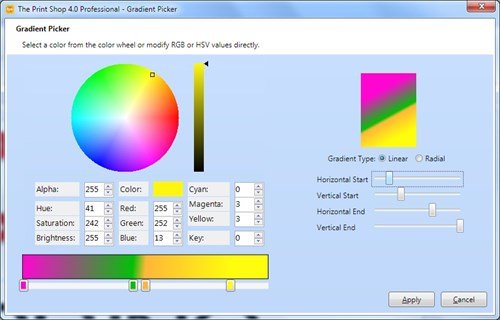
Your headline is filled with your gradient.

Have fun experimenting with all the Headline tools!
written by lindarobin