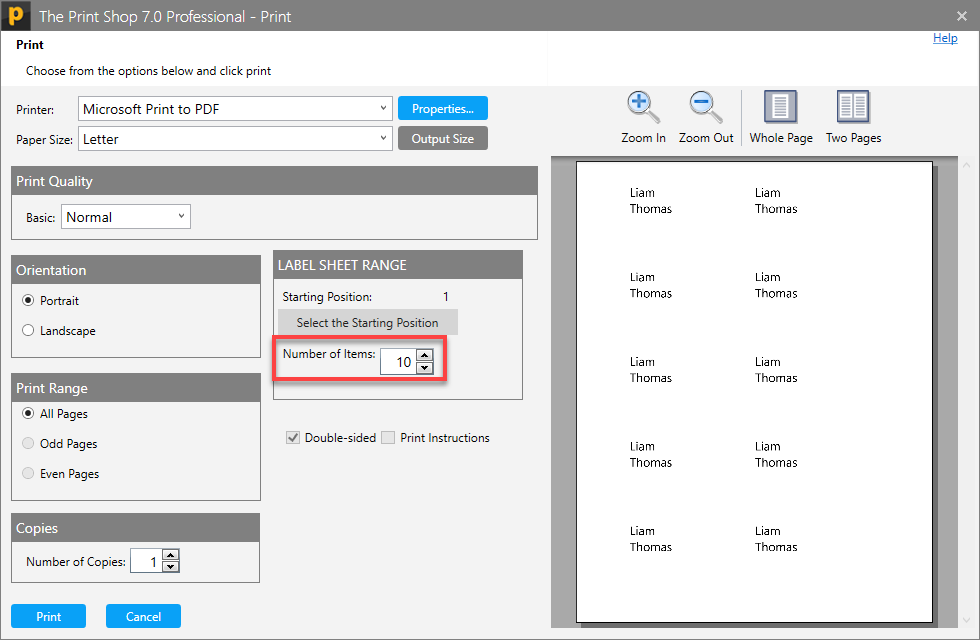
Label Sheet Range
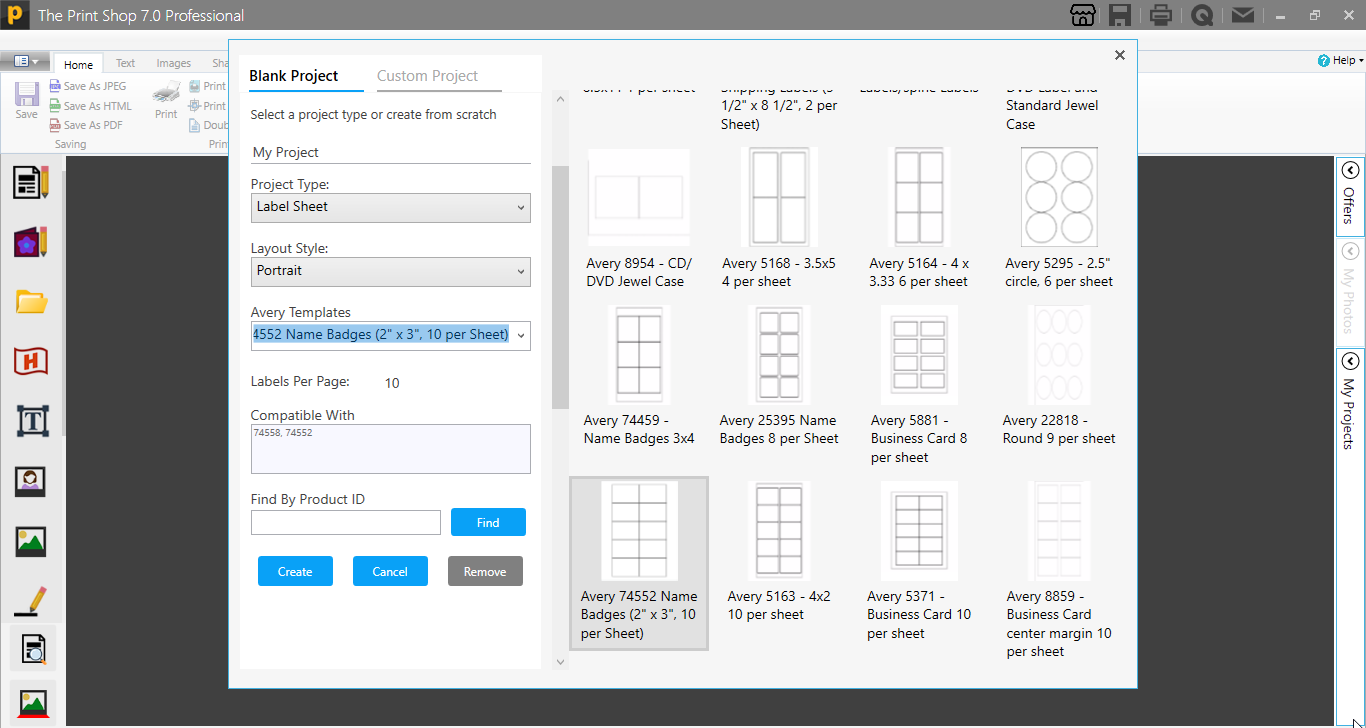
Now we can change the Range of the Label sheet (Starting and Ending position) during Printing in Print Windows. For this first launch the Print Shop 7.0 Application and then create a label sheet
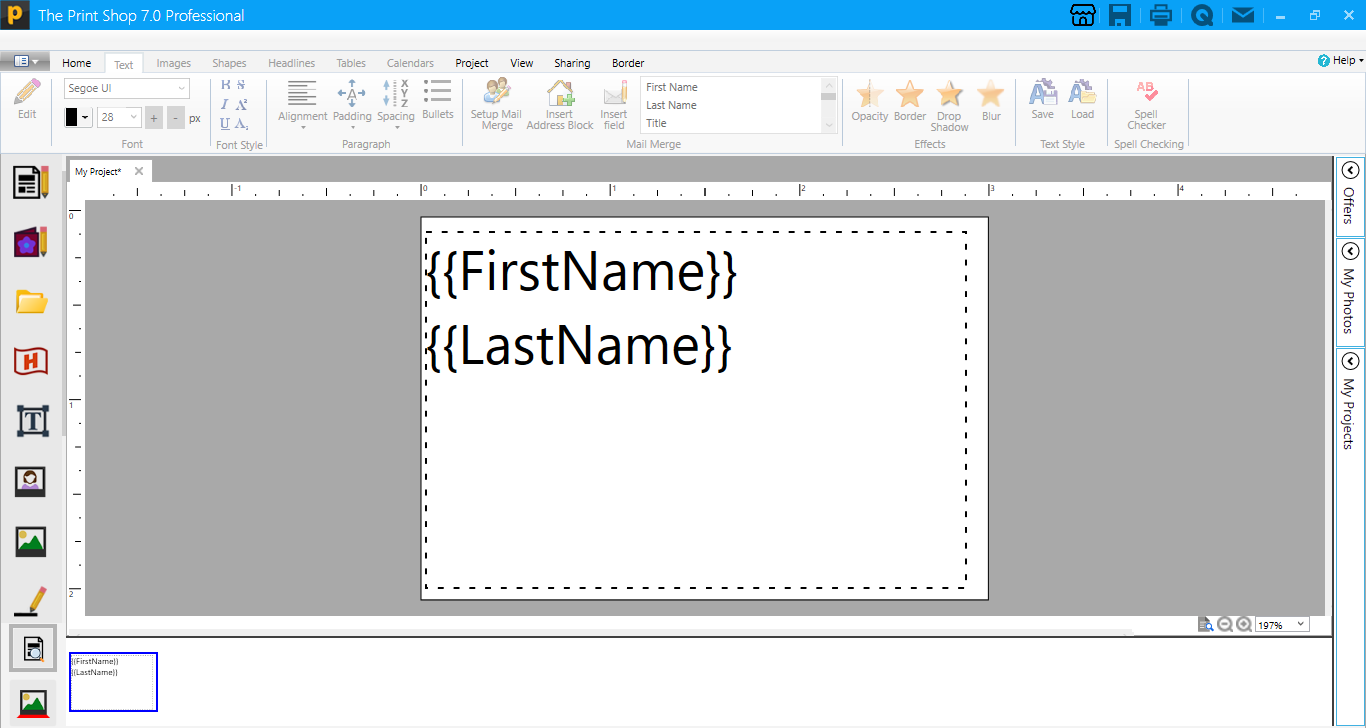
After this add a text box and add the fields into Text box which do you want to show in the label sheet
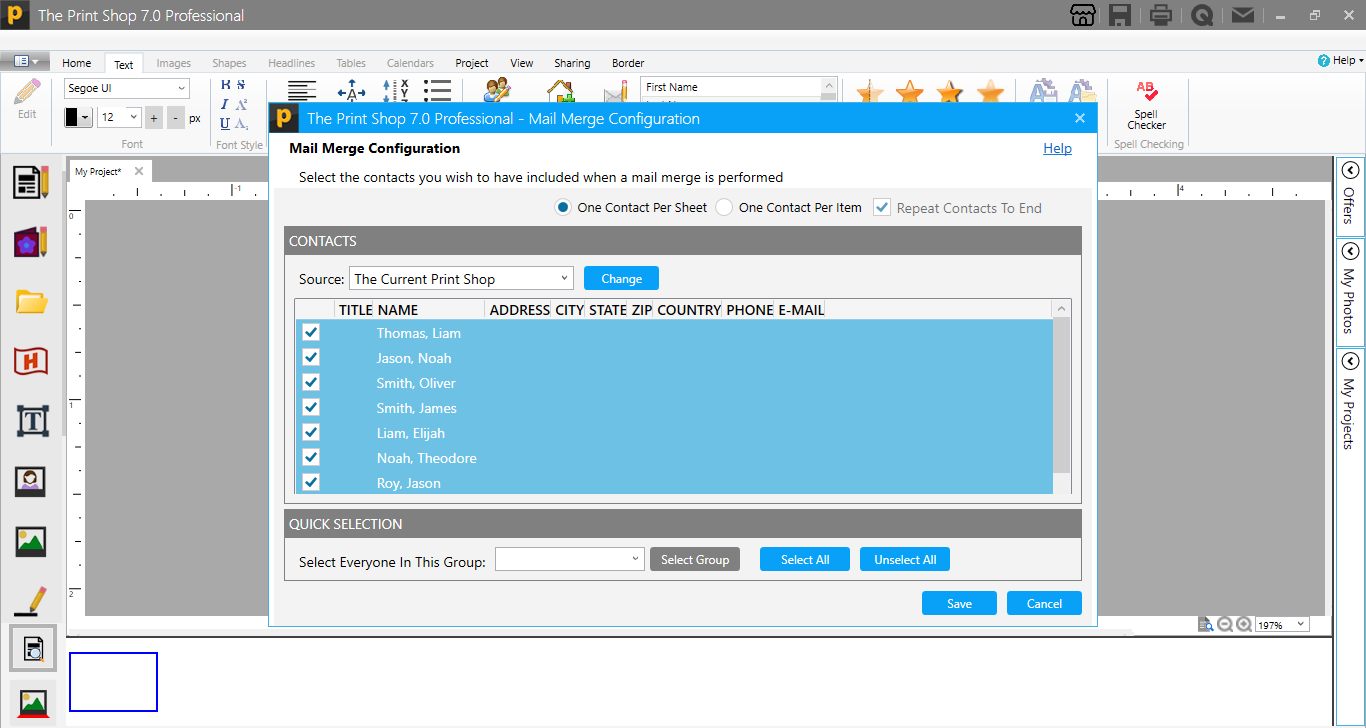
Now use the Mail Merge feature and save it
Now Access the Print windows and use the Label Sheet Range feature
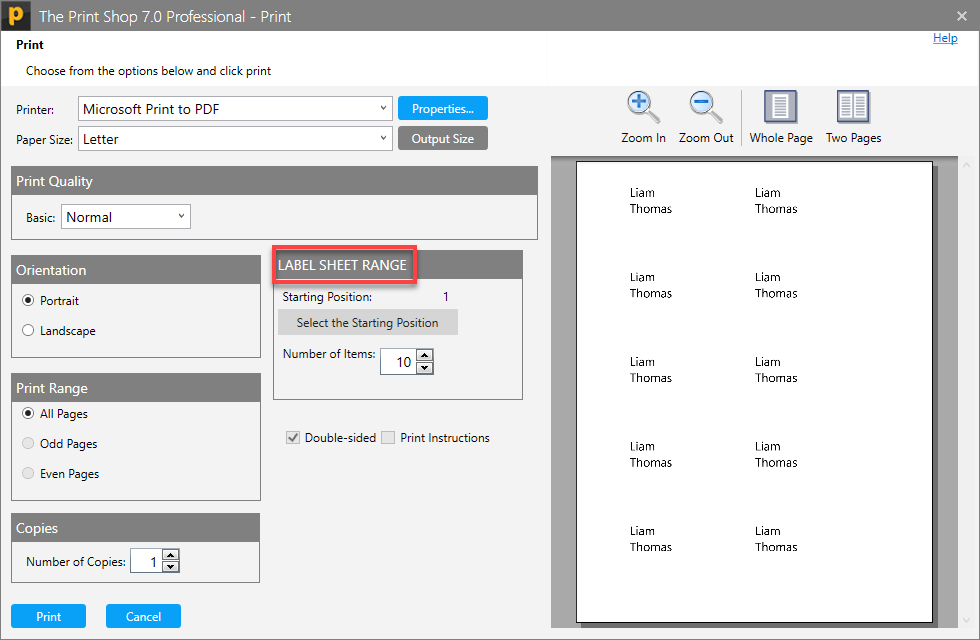
With the help of "Select the Starting Position" we can change the starting position of Label on the sheet. It will not change the size of a single Label
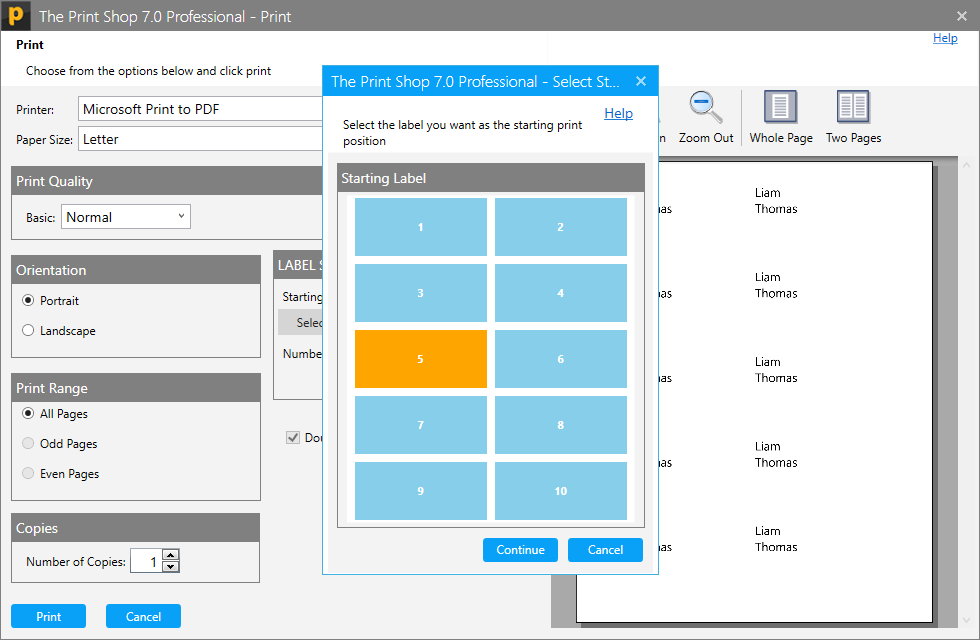
This will also help to set the "Number of Labels" do you want to print on the sheet