
Create a Facebook Cover Photo
Your Facebook Cover Photo doesn't have to be a photo from your phone. The Print Shop makes it easy to design your own Facebook Cover Photo, with the right template. You can design a cover for your small business (see the example I made at the bottom) or just have fun creating a design that reflects your style.
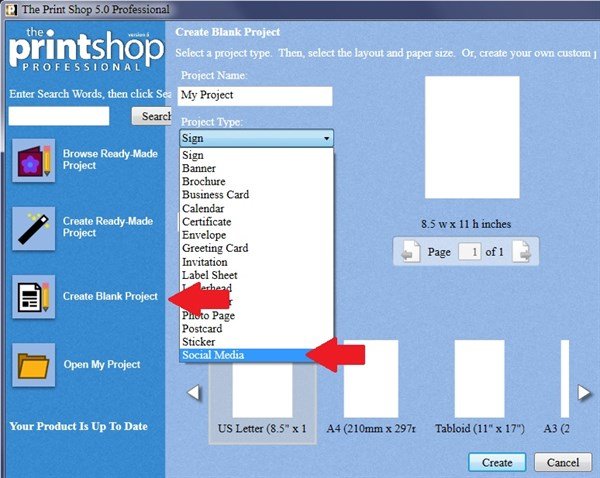
Start with a new blank project and select Social Media from the list of project types.
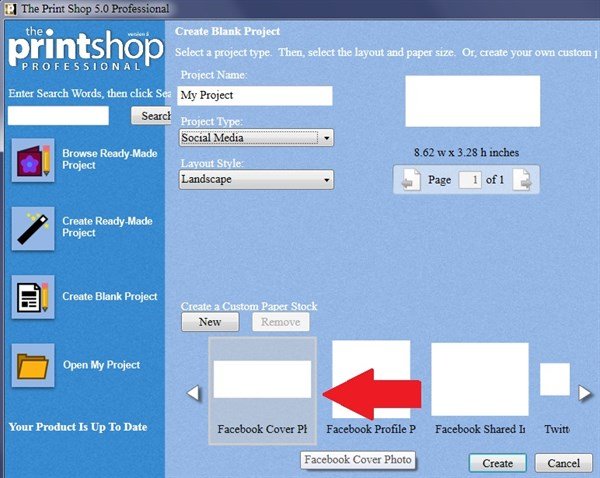
Then select Facebook Cover Photo from the paper stocks.
Add clipart and begin your design.
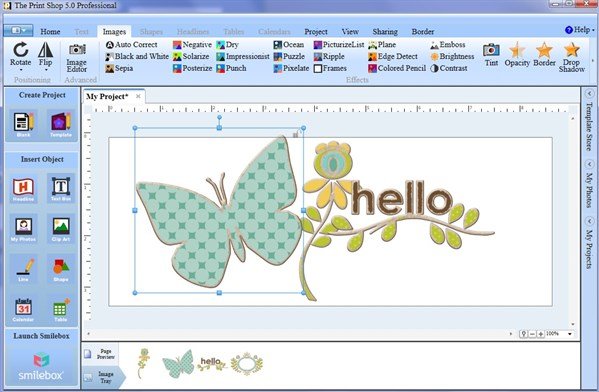
Save your project so that you can edit it at a later date, if you want to make changes.
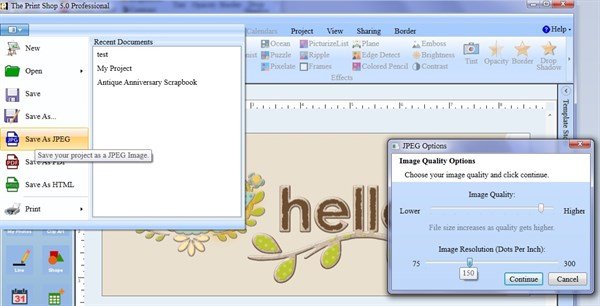
Now Save As JPEG. Choose high image quality and 150 dpi resolution. Save your design in Pictures with the filename MyNewFacebookCover.
Close Print Shop. Open your browser and go to your Facebook account. Click the Add/Update Cover Photo button.
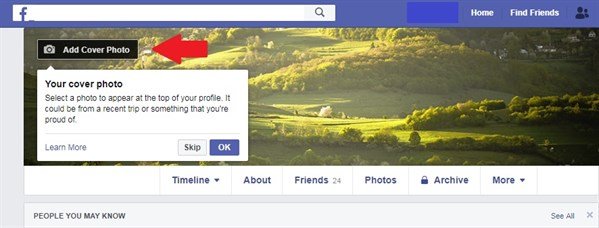
Upload your file MyNewFacebookCover (located in the Pictures folder). Save your changes.
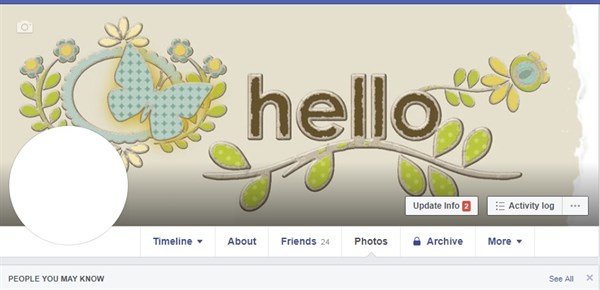
With The Print Shop's extensive clip art and tools. you can create a professional looking Facebook Cover Photo for your small business.

written by lindarobin