
Fun Halloween Treats - Spooky Scary Stickers
This weekend, I was at the drug store when it occurred to me that I needed to start thinking about Halloween treats for all the Trick-or-Treaters. I'd just spent some time with my nephews and seeing the amount of sugar they consumed made me start thinking about other, non-candy, options. Back at home, I was at the computer, still thinking about my dilemma… when The Print Shop desktop icon caught my eye and I suddenly realized what I was going to hand out to all the happy little monsters and ballerinas that knock at my door on October 31.
What kid doesn't love stickers? I pulled up The Print Shop program and within 5 minutes, I was printing out sheets of Halloween stickers. A few minutes later, they were cut, dropped in a pumpkin bowl and ready for kids to pick.
Here's how I made them - Quick, Easy and Fun!
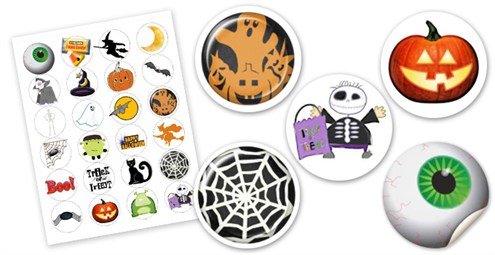
Stickers from a pre-existing template:
- Select 'Stickers' from 'Select a New Project'
- Selecta layout style you like. (I used the 'Big Wild Cats Sticker' template)
- Delete all existing images
- Select themed images from the Clip Art selection and move them into your tray
- Select images that you wish to use and place them into your workspace.
- Reduce the size of the image so it fits nicely into the sticker space. Using the ruler for guidance, size images down to fit the space. Note: Keeping images uniform will allow you to give out strips of stickers instead of individual ones.
- Once all spaces are filled, save your project, print on the appropriate sticker paper and cut.
Post provided by: Cindy Levin, Encore Employee