
Iron-Ons
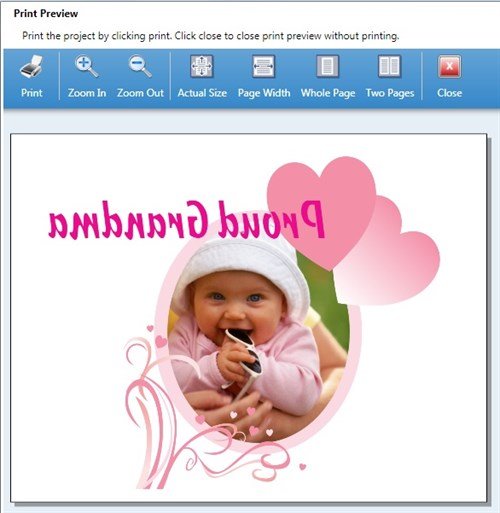
Want to customize a T-shirt, canvas bag, or quilt square with your own unique design? Printing onto iron-on transfer paper is as easy as regular printing. The difference is that you must print your design as a MIRROR image.

The Print Shop 3.5 and 4.0 make it simple to produce a mirror image. In fact, you can take any project and change it to mirror image:
Select all (Ctrl-A), right-click, choose... Flip > Flip Horizontal.
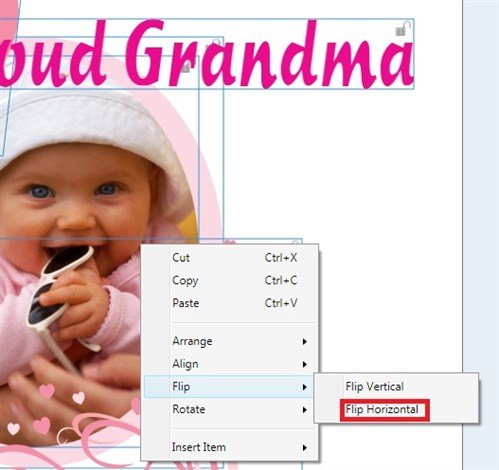
Some things like regular text and shapes, will not flip horizontal.
Solution 1: Replace text with Headline text before you flip.
Solution 2: This method ensures that everything, including text and shapes, gets flipped.
- Save your project as JPG (use best possible resolution and quality settings).
- Open a new blank project, then add the new JPG.
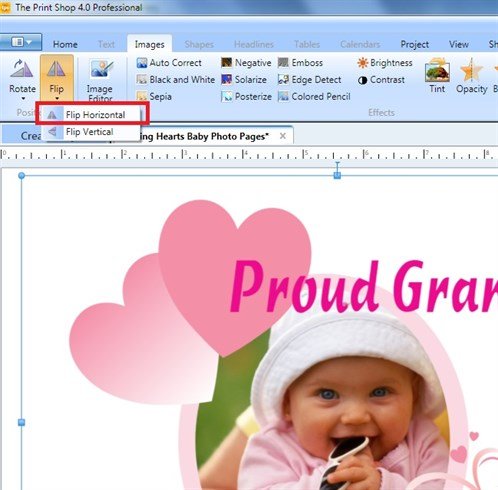
- With the JPG selected, click Flip> Flip Horizontal.
- Ready to print!
(I also find this method better for complex projects with a great deal of elements, special effects, and high resolution photos. It simplfies the instructions to your printer which avoids long spooling times and possible printing errors.)
Tip: Use big, bold text for iron-ons. Small text ironed onto fabric, is very hard to read.
written by lindarobin