
Labels - How to print a partial sheet
The Print Shop easily and by default will print a full sheet of labels. However, you may not need that many. For example, I only need three labels for the three candles that I made for a customer order. I have a label sheet where I've already used up the first 5 labels. How do I tell Print Shop to print what I want?
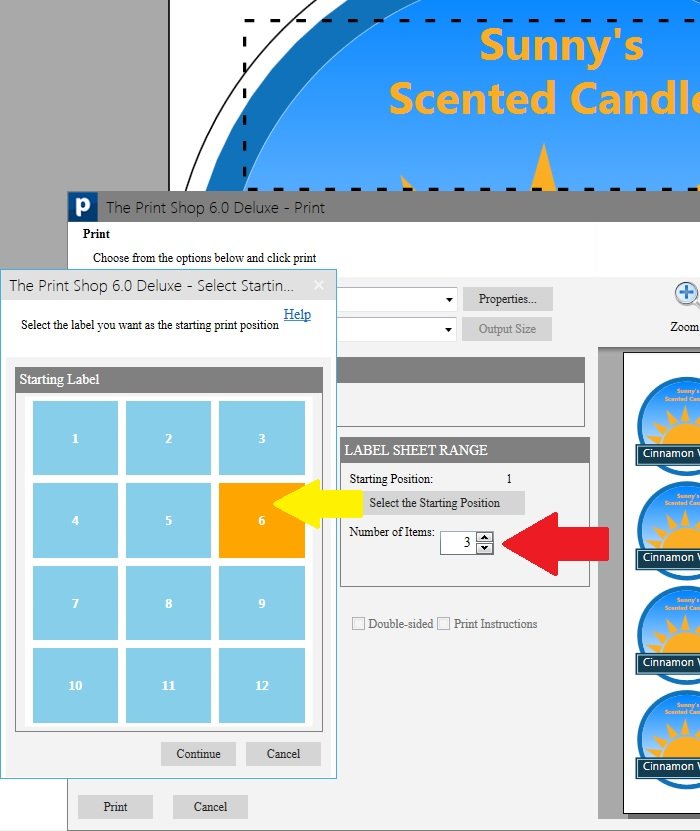
In the Print dialog box, there is the option LABEL SHEET RANGE.
- Change the Number of Items to 3.
- Click Select the Starting Position.
- Click position 6.
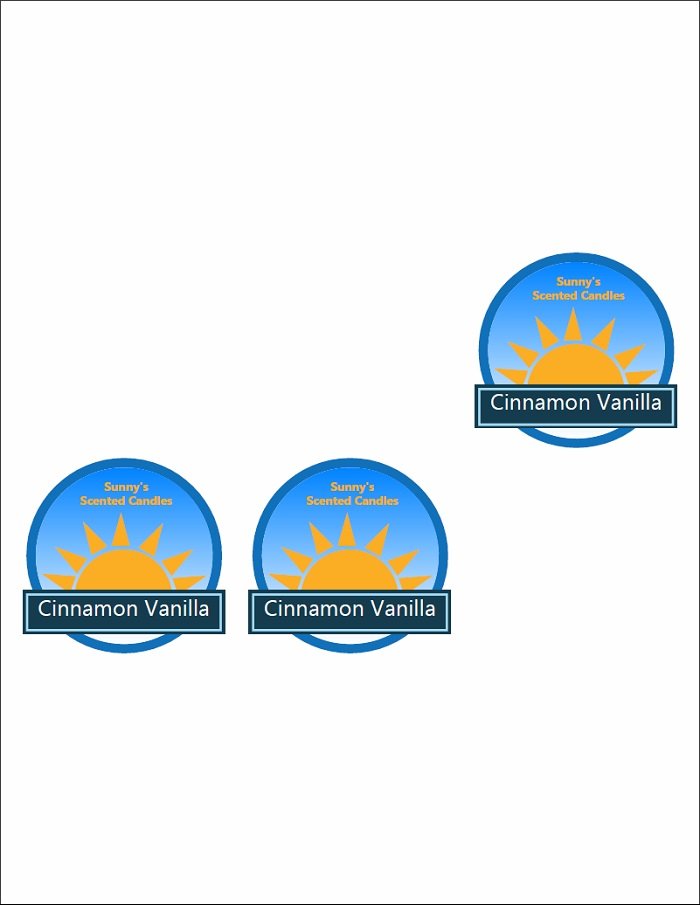
The result: My three labels are printed starting after where the last label was peeled off.
When you go to print your own label sheet project, the LABEL SHEET RANGE will match the kind of labels you are using, and you will be able to choose how many labels to print and where on the sheet to start the printing.
written by lindarobin