
Mini Flyers and Mini Cards
The Print Shop 3.5 and 4.0 can create multi-up projects easily! I want to design a mini-flyer that will be exactly 6 per letter size sheet, so that I can cut them apart with no wasted card stock.
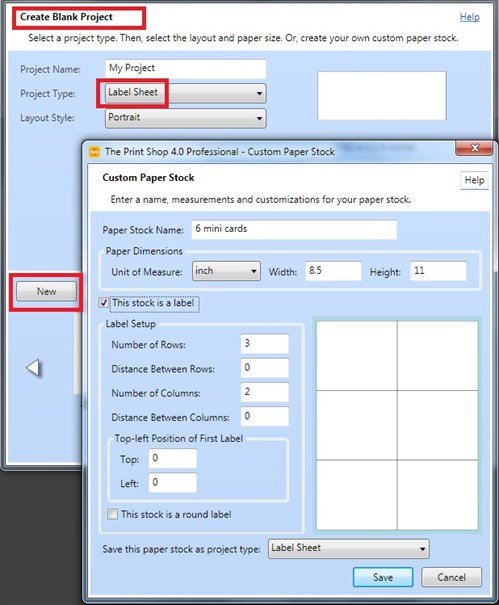
Whenever you want to create a multi-up project, you choose Label Sheet as your project type. Here, I start a new blank project, choose Label Sheet, then click the New button to open the Custom Paper Stock maker.
The Paper Dimensions will always be 8.5 x 11 if you are using standard letter size paper. Check This stock is a label so the program knows to auto-fill your paper with duplicates.
Enter your Number of Rows and Number of Columns. Everything else is zero so that the paper will be divided into equal parts.
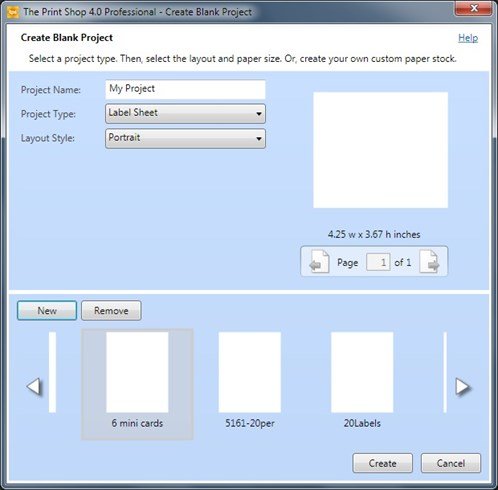
After I click the Save button, my new stock, 6 mini cards, appears in the list. I select it, then click the Create button.
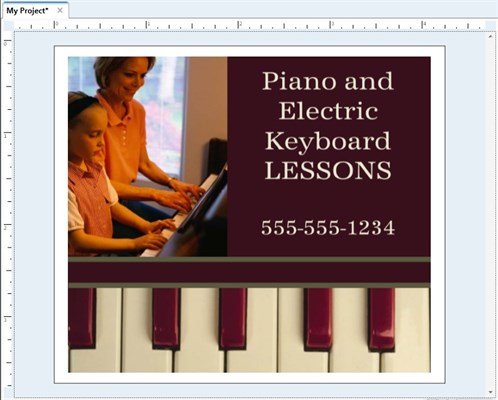
I add my text and graphics. My printer doesn't do borderless printing, so I leave a white edge around my design.
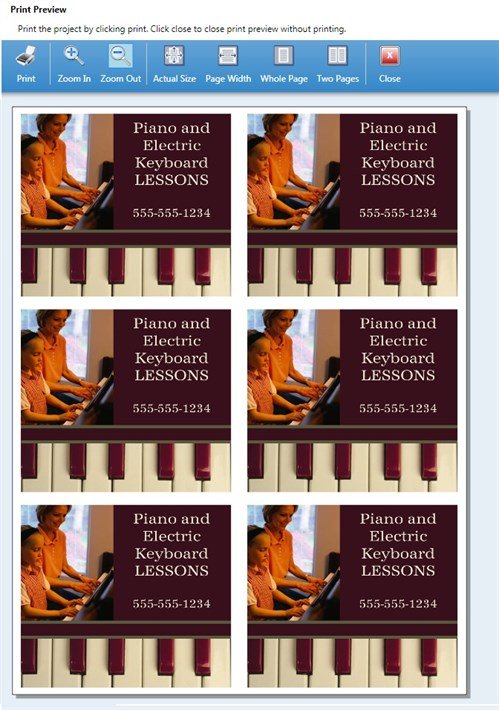
Now I am ready to print. The Print Shop prints 6 perfect duplicates. These mini-flyers are smaller than a postcard, but bigger than a business card. You can create your own mini-flyers/ mini-cards:
2x1 or 2x2 or 3x2 or 3x3
Just print and cut them apart. There's no trimming the margins, no wasted card stock!
written by lindarobin