
Add music to your greeting cards with Card sound
A greeting card is better when people can hear it. Card sound, new in The Print Shop 9.1, lets you pick a tune for your card and keep it with the project.
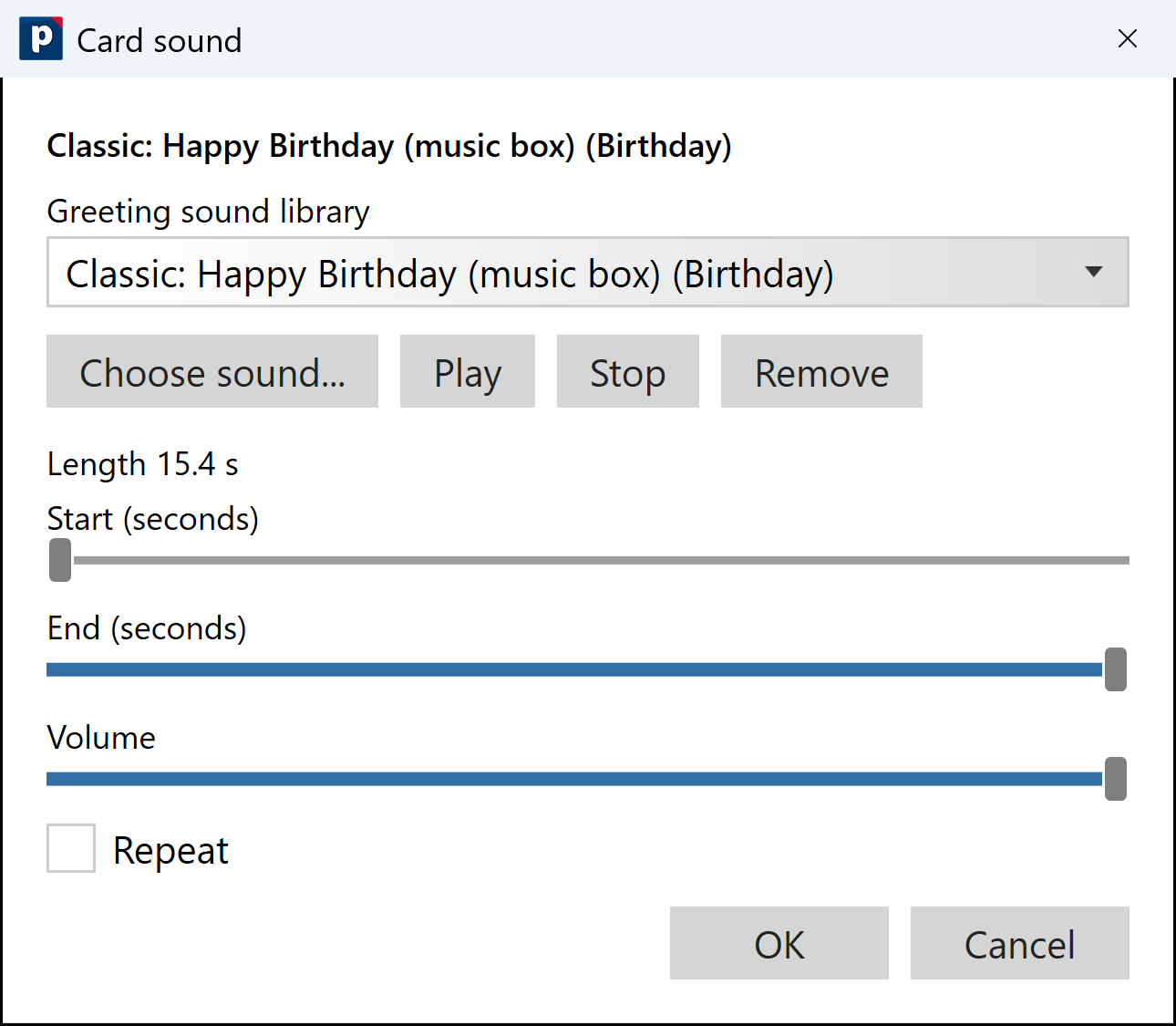
How to add a sound
- Open your card and go to the Sharing tab.
- Choose Card sound.
- Pick a sound from the greeting sound library, or choose your own music file.
- Use Play to hear it, trim the length, set the volume, and choose whether it repeats.
- Choose OK. Your sound is saved with the project.
24 greeting sounds
The library has 24 sounds, classic and modern, for birthdays, holidays, thank-yous and more. Prefer your own song? Use any music file you like.
Good to know
- You can preview the sound right inside the program before you share.
- Undo works as you expect.
- Sound is for sharing on screen. Printed cards and PDFs stay exactly as they are.
- Card sound is in both Deluxe and Professional, and in PrintMaster 2027 too.