Grouped Colors Palette
- Click any option that brings up the color palette (such as the Color option in your Project Backgrounds tab).
- Select a color that you would like to move and drag it to the location that you'd like.
- Drop the color into place.
Combos
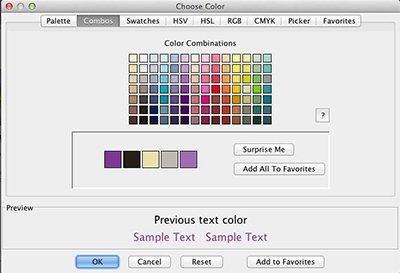
- Open the color palette and click on the Combos tab.
- Click on the circle in the large color box and drag it around to add or remove white, black, and gray.
- Select a color that you like. The software will pull four other designer picked colors to match.
Add a Favorite Color
- Access the Choose Color dialog from Backgrounds, Text, Headlines, Calendar, Shapes and Lines, or Paint.
- Select any color from the color Palette.
- Click on the Add to Favorites button to apply it to Favorites.
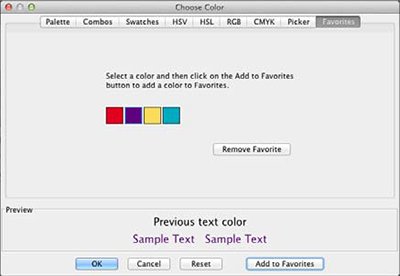
- Click on the Favorites tab to access your favorite colors.
Remove Color from Favorites.
- Access the Choose Color dialog from Backgrounds, Text, Headlines, Calendar, Shapes and Lines, or Paint.
- Click on the Favorites tab at the top of the Choose Color dialog.
- Select a color in your Favorites list.
- Click the Remove Favorite Button.