
Overview of Objects
Objects are items that you can add or edit in your project. Some of these include text, headlines, shapes, lines, clip art, photos, tables and page numbering.
Adding an Object
To add an object to your project, use the sidebar.
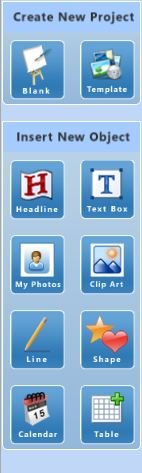
The available object types are:
You can also Add Effects to an Object
Cut, Copy, Paste
Objects can also be Cut, Copied and Pasted into your project.
Cut (ctrl+x) moves the selection to the Clipboard and deletes the original. The object will remain in memory until another object is cut or copied.
Copy (ctrl+c) moves the selection to the Clipboard, but leaves the original in place.
Paste (ctrl+v) places the contents of the Clipboard into your project.
Note: Text can be copied from any other source including other programs, but it must be pasted into a text box.
Note: Photos and images must be imported into the program and cannot be pasted from one program to another.
You can also Delete Objects by clicking on the object once and then pressing delete on your keyboard.
Choose one of the topics above to get started...