The Project Gallery
The Project Gallery contains thousands of Ready-Made Layouts for projects that you can modify or print as is. The Project Gallery displays when you want to create a project from a Ready-Made Layout. You can also save your own modified projects and open projects in the Project Gallery.
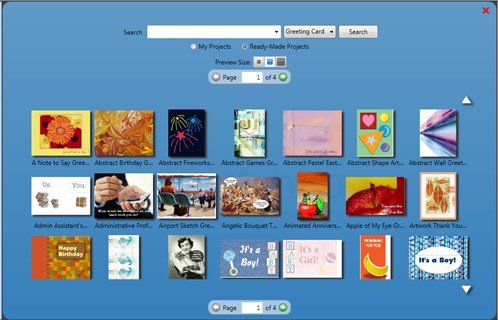
To use the Project Gallery you will select a Project Category from the New Project Wizard.
Once you are in the Project Gallery there are several options available to you:
- Change the category of the project you are working on by using the project type drop down menu.
- Filter the projects by entering words into the search, such as Birthday, Wedding, Anniversary.

- Change the preview size of the projects that appear in the gallery so you can get a better look at them.

- Filter projects by projects you've created or Ready-Made projects.

- Use the page turner to view more projects that match your search criteria.