
Adding a Table
To add a Table:
- Click on the Add Table Object Button
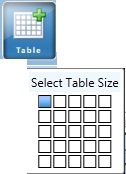
- Use your mouse cursor over the Size selector, they will turn blue as you mouse over them.
- Each Block symbolizes one cell. Click on it when you have the number of cells needed.
Note: If you need more cells in either direction don't worry cause you can add more later. - Your Table should now be added to your project.
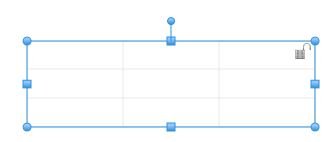
You can now add and format text by double clicking on a cell and beginning to type. Or you can Fill a cell with an image. You can also change the grid line Color and thickness using their dropdowns.