
The Art Gallery
The Art Gallery contains thousands of drawings, art images, photos, borders, and much more. The Art Gallery displays when you want to add a graphic to a project. You can import your own graphics and organize your own collection of photos and images within the Art Gallery.
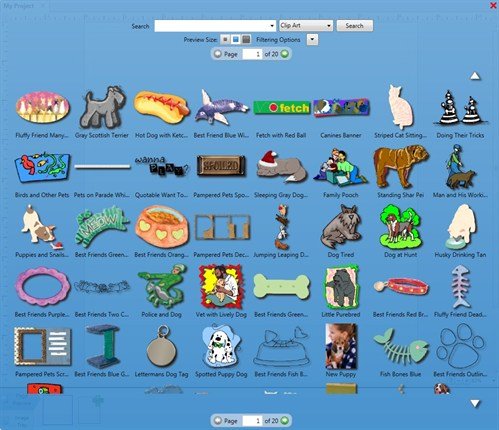
Once you are in the Art Gallery there are several options available to you:
- Change the category of the art you are searching for by using the category type drop down menu.
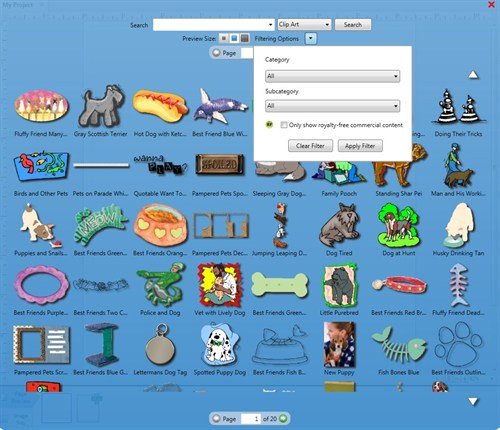
- Filter the art by entering words into the search such as Office, Cars, Rings.

- Change the preview size of the art that appears in the gallery so you can get a better look at them.

- Use the page turner to view more art that matches your search criteria.

In The Print Shop 3.5 Professional Edition, you also have access to over 5,000 royalty free images.
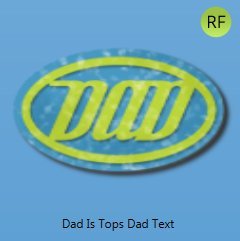
These art images will be noted with a green circle with the letters "RF" located at the top right corner of a royalty free image.
The Print Shop 3.5. also offers a specific search filter so that you can search specifically for royalty free images. NOTE: Royalty Free Art content is only found in the Professional Edition of The Print Shop 3.5.
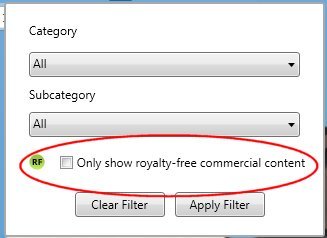
By clicking on the check box, your search will filter out all other images that are not royalty free. If you want to search all images, make sure this box is not checked. NOTE: Royalty Free Art content is only found in the Professional Edition of The Print Shop 3.5.