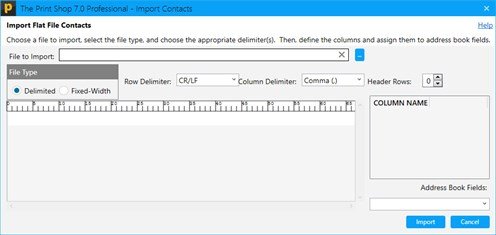
Importing Contacts from an External Source
You can import contacts into your Address Book from many different sources. Including:
- Other The Print Shop programs like The Print Shop 3.0, 3.5
- The Print Shop 23 Ultimate Mail Manager Program
- The Print Shop 4.0, 5.0, 6.0 and 7.0
import from The Print Shop 3.0 and 3.5
To import from The Print Shop 3.0 and 3.5:
- Click on the Sharing Tab.

- Click on Import Contacts Button and then choose The Print Shop 3.0 or 3.5. The Contact Import Tool will appear.
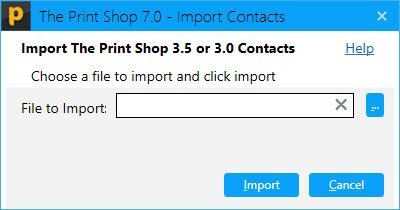
- Browse to the location of your Address book file by clicking on the "..." Button.
- Click on your address book file.
- Click on the Open Button.
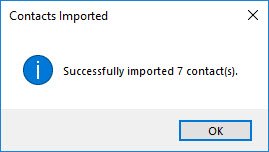
- The Print Shop will then tell you how many contacts were successfully Imported.
Importing an Address Book from The Print Shop 23
To Import an Address Book from The Print Shop 23:
- Click on the Sharing Tab.

- Click on The Print Shop 23 Button on the Import Contacts Section. The Print Shop 23 Contact Import Tool will appear.
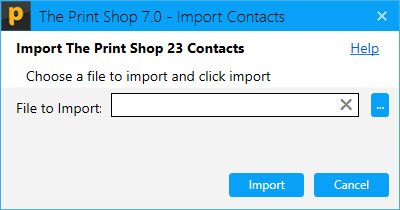
- Browse to the location of your Address book file by clicking on the "..." Button.
- Click on your address book file.
- Click on the Open Button.
- The Print Shop will then tell you how many contacts were successfully Imported.
Importing an Address Book of The Print Shop 4.0, 5.0, 6.0 and 7.0 through Flat File
To Import an Address Book of The Print Shop 4.0, 5.0, 6.0 and 7.0:
- Click on the Sharing Tab.
- Click on the Import TPS 7, 6, 5 and 4 Contact Button in the sharing tab. The Import Contacts Wizard will appear.
- Click on the "..." button to browse for your address book file.