Project Properties feature
Project Properties
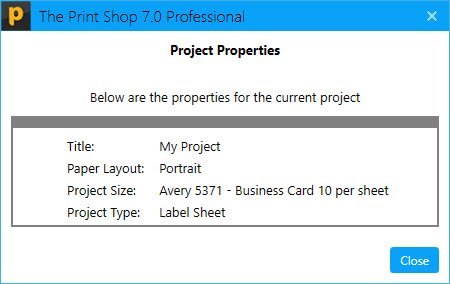
Now Print Shop offers a feature to see the properties of any project
1. For this first open a project, it can be your saved Project or Offline Template or Ready-made Project
2. Once the Project will open then you will need to open the "Project" Tab or Menu

3. In this menu there is a Feature/Button Labeled with "Properties"

4. Click on "Properties", then a new windows will appear which will show the Properties of current Project