Export Address Book
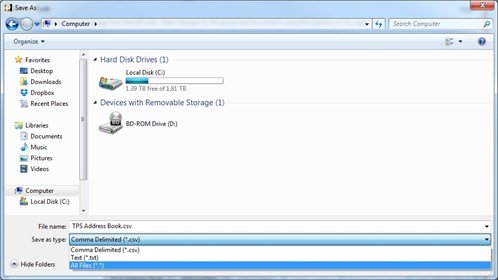
The Print Shop 4.0 includes a new feature to Export your Address Book. The export supports .CSV and .TXT document types. Sort and organize your contacts in advance, notice the sort order is enforced within the document that you are exporting.
Export Address Book
To Export your Address Book:
- Launch The Print Shop 4.0
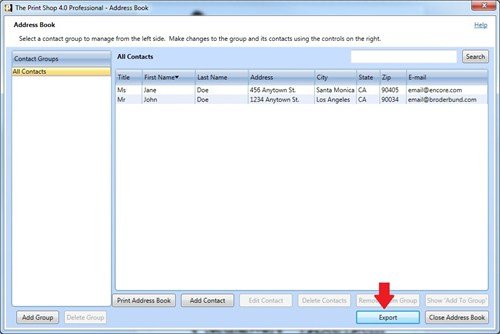
- Proceed to the Address Book feature within the Sharing tab.
- Select the Export Address Book feature.
- Notice the Address Book can be exported to .CSV or .TXT document types.