Importing Contacts from an External Source
You can import contacts into your Address Book from many different sources. Including:
- Other The Print Shop programs
- The Print Shop 20 - 23.1 Ultimate Mail Manager Program
- Outlook
- Yahoo
- Flat File
Importing From The Print Shop 3.0, The Print Shop 3.5. and The Print Shop 4.0
To import from The Print Shop 3.0, The Print Shop 3.5, and The Print Shop 4.0:
- Click on the Sharing Tab.

- Click on The Print Shop Button on the Importing Contacts Section. The Print Shop 4.0 Contact Import Tool will appear.
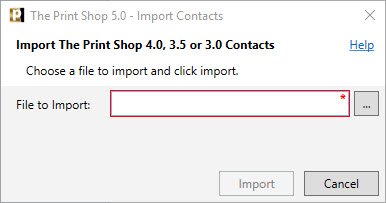
- Browse to the location of your Address book file by clicking on the "..." Button.
- Click on your address book file.
- Click on the Open Button.
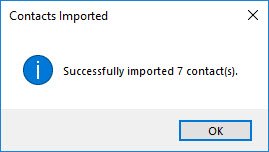
- The Print Shop will then tell you how many contacts were successfully Imported.
Importing an Address Book from The Print Shop 20- 23.1 UMM
To Import an Address Book from The Print Shop 20- 23.1 UMM:
- Click on the Sharing Tab.
- Click on The Print Shop 23 Button on the Importing Contacts Section. The Print Shop 23 Contact Import Tool will appear.
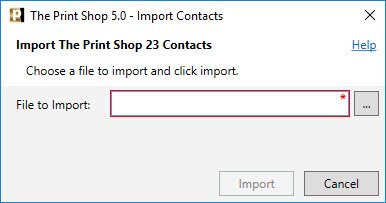
- Browse to the location of your Address book file by clicking on the "..." Button.
- Click on your address book file.
- Click on the Open Button.
- The Print Shop will then tell you how many contacts were successfully Imported.
Importing an Address Book from a Flat File
To Import an Address Book from a Flat File:
- Click on the Sharing Tab.
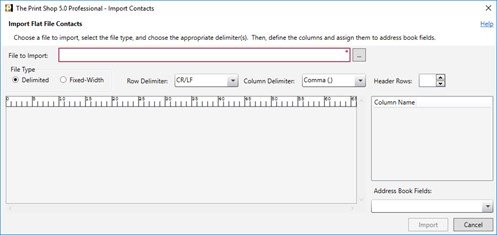
- Click on the Flat File Button on the Importing Contacts Section. The Flat File Import Wizard will appear.
- Click on the "..." button to browse for your address book file.