Auto-Save your Project
The Print Shop 4.0 introduces a new feature to automatically save your projects. AutoSave can help you avoid losing work completed on a project. This feature is designed to save periodically. Therefore, if you have been working for a long time but forget to save a project or if your power goes out, the project you have been working on contains all or at least some of the work you have done since you last saved it.
Note: The AutoSave option is automatically enabled when you launch The Print Shop 4.0 for the first time.
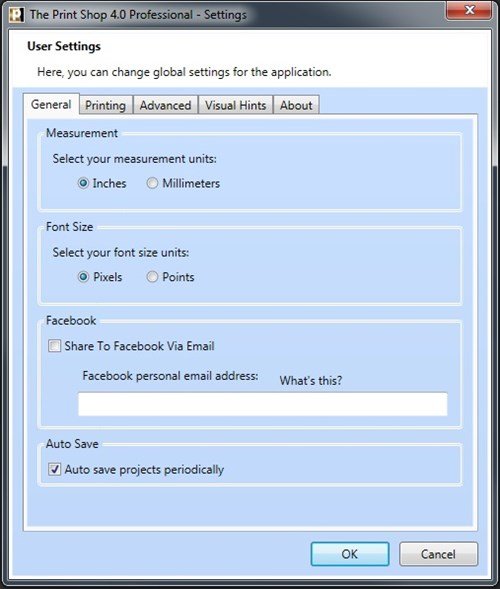
The AutoSave feature is accessible in the Preferences Menu, and can be easily enabled/disabled.
- Launch The Print Shop 4.0.
- Bypass the New Project wizard.
- Locate the Help Menu in the upper right corner area of the program

- Scroll down and select Preferences.
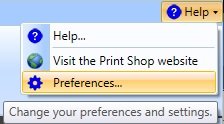
- Locate the Help Menu in the upper right corner area of the program
- In the User Settings tab, Notice the AutoSave option available in the bottom area of the menu. Feel free to enable/disable this feature.