
Updating your Product to the Latest Version
Make sure your version of The Print Shop is up to date. Prorgram updates are released to improve the customer experience. These updates are developed to improve program functionality and stability.
Updating your Product to the Latest Version
Open the New Project wizard to confirm that your version of The Print Shop is up to date.
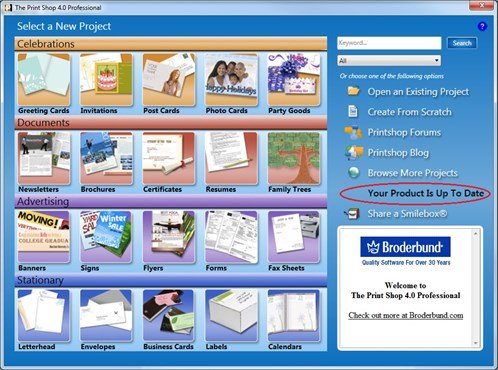
If your program does not require an update, the following is displayed:
If your program does require an update, the following is displayed:
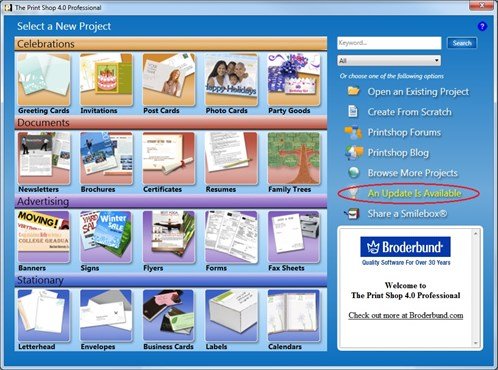
After you have confirmed that an update is available, please click on 'An Update is Available' to initialize the update process:
- You will be prompted to download and/or save the file 'update.exe'. It is highly recommended to save the file to your computer.
- Before launching the file 'update.exe', please close The Print Shop 4.0 program.
- Locate and open the file 'update.exe'.
- Follow the onscreen instructions to install the program update for The Print Shop 4.0